


Smart home in care: Where do I start?Smart home in care: Where do I start?
A voice-controlled smart home can bring independence back into your own four walls and make everyday care easier. It does not have to be expensive or complicated – this is the best way to start.
A voice-controlled smart home can bring independence back into your own four walls and make everyday care easier. It does not have to be expensive or complicated – this is the best way to start.
At a glance
- The goal is independence. When the light switch is too far away, a control turns into a barrier. That can be changed.
- Choose a system and a hub. Amazon Alexa, Google Home and Apple Home can now do almost the same things. The one hard criterion: Apple Home needs an iPhone.
- Start small, with one room rather than the whole house. A smart plug makes switchable what is already there. With an Echo, you are in from about 65 euros, or around 110 with the Hue Bridge.
- Practise together. Give the devices clear names, try out a few commands together and write the most important ones on a note.
For decades, the light switch by the door was not worth a thought. Then the way there in the dark becomes a risky stretch. At that moment a barrier appears in your own home, one that costs strength, can be dangerous or makes you dependent on help. Yet many of these barriers can be removed with simple means. Light, heating, fan, radio: all of it can be controlled with your own voice. That makes life at home not only more independent and safer, it also saves care work.
Start small and build on it. From our own experience: it pays not to rush in. The urge to do it “properly from the start” is understandable. But flush-mounted actuators, bus systems and an electrician in the house are not only complicated and expensive, they also mean too much change at once. Having to memorise several dozen voice commands overnight can be just as much of a barrier as a staircase or a light switch out of reach.
The good news: the system can grow. So we start simply: with one room, one voice assistant, one smart plug and one smart bulb. A start that costs less than a good pair of shoes, still makes a noticeable difference and is the springboard for adding more later.
First, who this is for: anyone setting up a smart home, whether for themselves or for someone they care for. “The person” below always means whoever will later use it by voice.
First: choose a system
There are three big systems: Amazon Alexa, Google Home and Apple Home. The most important thing first: you cannot get this wrong. In recent years they have converged a great deal and now speak a common standard, Matter. That means devices with the Matter logo work with all three, and otherwise the systems hardly differ in what they can do.
Our tip: build on what is already there. Do you have an Amazon account? Then an Echo is the obvious choice. Do you know Siri from your iPhone? Then Apple Home is the smallest step. If there is already a Google device in the house, a Pixel phone for instance, Google Home will feel familiar.
There is only one hard criterion: Apple Home requires an iPhone or iPad, not just for setting it up but for every person who is meant to control it too. In an Android household that rules it out.
Amazon Alexa has the widest choice of devices and the cheapest way in; a small Echo costs from about 30 euros. Accordingly, a lot of people know their way around it, and that is not to be underestimated when you want to ask someone. The weak point is privacy: the device itself does little, almost everything is processed on Amazon’s servers.
Google Home understands spoken language best, especially when someone does not speak in tidy sentences or pauses in between. In care that is not a side issue but often the difference between “it works” and “I’d rather not”. The matching speaker costs around 120 euros, so the way in is more expensive than with Amazon, and the choice of devices somewhat smaller.
Apple Home is strongest on privacy and weakest on choice of devices. It is worth it if there are iPhones in the household anyway. Then using it feels familiar and setting it up is quick. The honest limitation: of the three, Siri understands German least well, and the new Siri features are not coming to the EU for now. The hub is a HomePod mini; the new generation costs 169 euros, which makes this the most expensive way in of the three.
A word of perspective, because “privacy” quickly sounds like taking sides: all three work with servers. Without them, none of these devices understands spoken language. The difference lies elsewhere: in how much the device does itself, how long recordings are kept and whether they feed into businesses that have nothing to do with speech. Apple is generally considered the most restrained here, partly because it earns its money mainly from devices rather than data. Amazon and Google sit at a similar level behind it.
Second: the hub
Each of these systems works on the same simple pattern, and once you have understood it, the rest follows by itself.
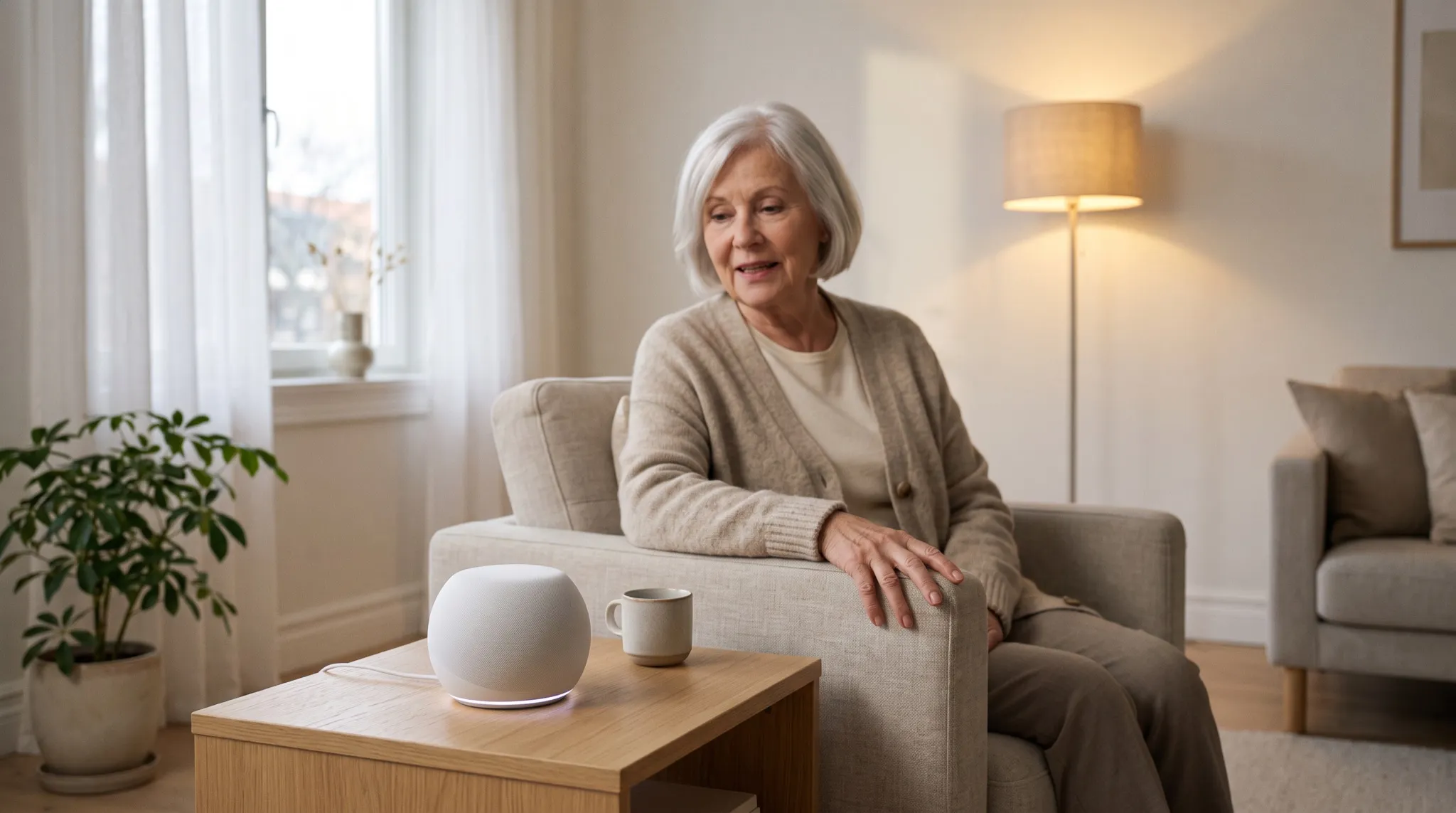
There is one device you talk to: the hub. A speaker on the chest of drawers, nothing more. The hub listens, understands and passes the command on to the devices spread around the house. You say “Hallway light on”, the hub tells the lamp.
Two things matter here:
- The voice is the point. You can switch everything from an app on your phone too, but then you have to find the phone, unlock it and hit the right button. The hub asks for none of that. It is the only control in the house that works without hands.
- Without internet, nothing works. If the Wi-Fi goes down, so does the control. Every lamp and every plug must therefore remain operable by hand. Because the device does not fall back to anything, it simply stays as it was: off or, more annoyingly, on. A stable internet connection is therefore part of the basic kit.
Put the hub where the person actually spends their time, not in the hallway. It has to understand a normal speaking voice, even from the other end of the sofa.
Third: the first smart devices
The hub on its own does not switch anything yet. It needs devices that listen to it, and two are enough to start with: a smart plug for what is already in the house, and a smart bulb for the light. Window sensors, shutter motors and radiator thermostats can come later, once the start has proved itself.
Smart plugs: as simple as possible
A smart plug goes between the plug and the wall socket and makes an entirely ordinary device switchable. Plug it in, name it in the app, done. No electrician, eleven euros. What could only be switched on at the device itself now also works on call.
The obvious use is light: the floor lamp behind the armchair, the bedside lamp. But it does not have to be light, and the more interesting cases are others:
- The radio on the windowsill. On in the morning, without getting up.
- The fan in summer. How to use it well is covered in our article on heat.
- The electric heater in winter, when it should get warmer for a while without getting up from the sofa.
- Several devices at once. TV, lamp and charger on a power strip that goes off in the evening with one sentence. That saves not only getting up, but electricity too.
Smart bulbs: more than on and off
Smart plugs only switch on and off. Anyone who wants to dim the light needs a smart bulb, a light bulb with a radio that is screwed into the existing lamp. They exist for all common fittings: the large E27 screw fitting, the small E14 and GU10 for spotlights. A look into the lamp before buying is enough. For the start a warm white one is enough; bulbs that also change colour cost many times as much and can do nothing that is needed here.
We have been using Philips Hue for years and have had good experiences with it: the bulbs respond reliably, even after ten years. That is no small praise, because with cheaper systems this is exactly the weak point. There are good alternatives from Ikea and TP-Link that cost considerably less. But when the light has a job you need to be able to rely on, reliability pays off.
Do you need the Bridge? Not necessarily, to start with. Most Hue bulbs also speak Bluetooth and can then be switched with Alexa or Google without a Bridge. According to the manufacturer, that covers up to ten bulbs within roughly ten metres, so a good-sized room. What is missing without a Bridge: control from outside the home and automations beyond the simplest; for Apple Home it is a requirement. Anyone using Apple, planning more than one room or needing to rely on the light should therefore get the Bridge right away.
The wall switch stays on. A smart bulb only listens while it has power. Turn it off at the wall switch and you have turned it off for the voice as well. Everyone who comes and goes in the household should know this, including visitors and the care service. The other way round, the switch is the fallback: off once and on again, and the bulb lights up, even without internet.
Fourth: a little time and patience
Simply speaking a command into the room feels strange at first. It takes time to learn the quirks of voice control: without “Alexa”, “Hey Google” or “Siri” at the start, nothing happens. And the hub knows each device only by the name it was given during setup.
That is why it is worth choosing the names together: short, unambiguous and the way the person speaks anyway. So “reading lamp” rather than “Hue White 2”, “radio” rather than “living room plug”. Then try out a few commands together and write the most important ones on a note that stays within reach.

Shopping list for the start
Everything the first room needs. Tick it off, copy it or send it to someone who is helping with the setup.
Check before buying
- The Wi-Fi reaches the places where the devices will be.
- A smartphone or tablet for the setup, for Apple Home an iPhone or iPad.
- Checked which fitting the lamp has: large (E27), small (E14) or spotlight (GU10).
To buy
- Hub: Echo (from about €30), Google Home Speaker (around €120) or HomePod mini (€169)
- Smart plug: TP-Link Tapo P110 (approx. €11), for Apple Home the P110M
- Smart bulbs: Philips Hue White to match the fitting (E27 twin pack approx. €22)
- Hue Bridge (approx. €45): required for Apple Home, optional for one room with Alexa or Google
Conclusion
The smart home in care has a reputation as a major project, and it does not deserve it. The part that brings the most – light and devices by voice, without getting up – is the cheapest and the simplest.
Start with the hub, one plug and one or two bulbs. Not because that is everything, but because afterwards you will know what comes next. And because someone who can switch the light on again by themselves has got something back that cannot be measured in euros.
A smart home is not a home alarm. It does not dial the emergency services, it does not detect a fall, and it goes down with the power. Anyone thinking about using the hub as a safety net will find the honest assessment in our article Can you use Alexa as a home alarm? In short: as a replacement no, as a second line surprisingly good.
At a glance
- The goal is independence. Light, radio, fan by voice, without getting up.
- System and hub: Alexa, Google and Apple can do almost the same things. Apple Home needs an iPhone.
- Start small: one room, one hub, one smart plug, one smart bulb. With an Echo, from about 65 euros.
- Practise together: give the devices clear names, write the most important commands on a note.
For decades, the light switch by the door was not worth a thought. Then the way there in the dark becomes a risky stretch. Many barriers like this can be removed with simple means: light, heating, fan and radio can all be controlled by voice.
From our own experience: start small. Flush-mounted actuators and an electrician in the house are expensive and mean too much change at once. One room, one voice assistant, one plug and one bulb are enough to start with, and the system can grow later.
First: choose a system
Amazon Alexa, Google Home and Apple Home have converged a great deal and speak a common standard, Matter. You cannot get this wrong. Build on what is already there: an Amazon account, an iPhone or a Google device.
The one hard criterion: Apple Home requires an iPhone or iPad, also for every person who is meant to control it.
- Alexa: widest choice, cheapest way in (an Echo from about 30 euros), a lot of people know their way around it. Weak point: privacy.
- Google: understands speech best, even when someone pauses. Speaker around 120 euros.
- Apple: strongest on privacy, smallest choice, Siri understands German least well. HomePod mini 169 euros.
All three work with servers. The difference lies in how much the device does itself and what happens to the recordings. Apple is generally considered the most restrained here.
Second: the hub
The hub is a speaker you talk to. It understands the command and passes it on to the devices in the house.
The voice is the point: no phone to find, nothing to unlock. But without internet nothing works, so every device must remain operable by hand. Put the hub where the person spends their time.
Third: plug and bulb
A smart plug (around eleven euros) goes between plug and wall socket and makes an ordinary device switchable: floor lamp, radio, fan, electric heater or a whole power strip. For Apple Home it needs to be a model with Matter.
A smart bulb can also dim. They exist for all common fittings; warm white is enough. We have used Philips Hue for years because the bulbs respond reliably. The Hue Bridge is not essential for one room with Alexa or Google, but it is for Apple Home, control from outside the home and more than ten bulbs.
The wall switch stays on. Switched off there, the smart bulb cannot hear the voice either. The other way round, it is the fallback: off and on again, and the light comes on.
Fourth: practise together
Without “Alexa”, “Hey Google” or “Siri”, nothing happens, and the hub knows each device only by its name. Choose the names together, short and the way the person speaks: “reading lamp”, “radio”. Then try out a few commands together and write the most important ones on a note.
Conclusion
The part that brings the most is the cheapest and simplest: light and devices by voice. But a smart home is not a home alarm: it does not dial the emergency services and does not detect a fall. More on that in Can you use Alexa as a home alarm?
News by email
New blog articles straight to your inbox. Now and then there is news about our products too – but not often, we promise. You can unsubscribe at any time.